The first Mura had tabs the way most apps have tabs: a feed, a search, a clubs page, an inbox, a profile. Each one was a place. None of them was a job. When we sat down to rebuild the shell we started from a different question: what are the three things a person comes here to do?
Home keeps, Discover finds, Inbox talks
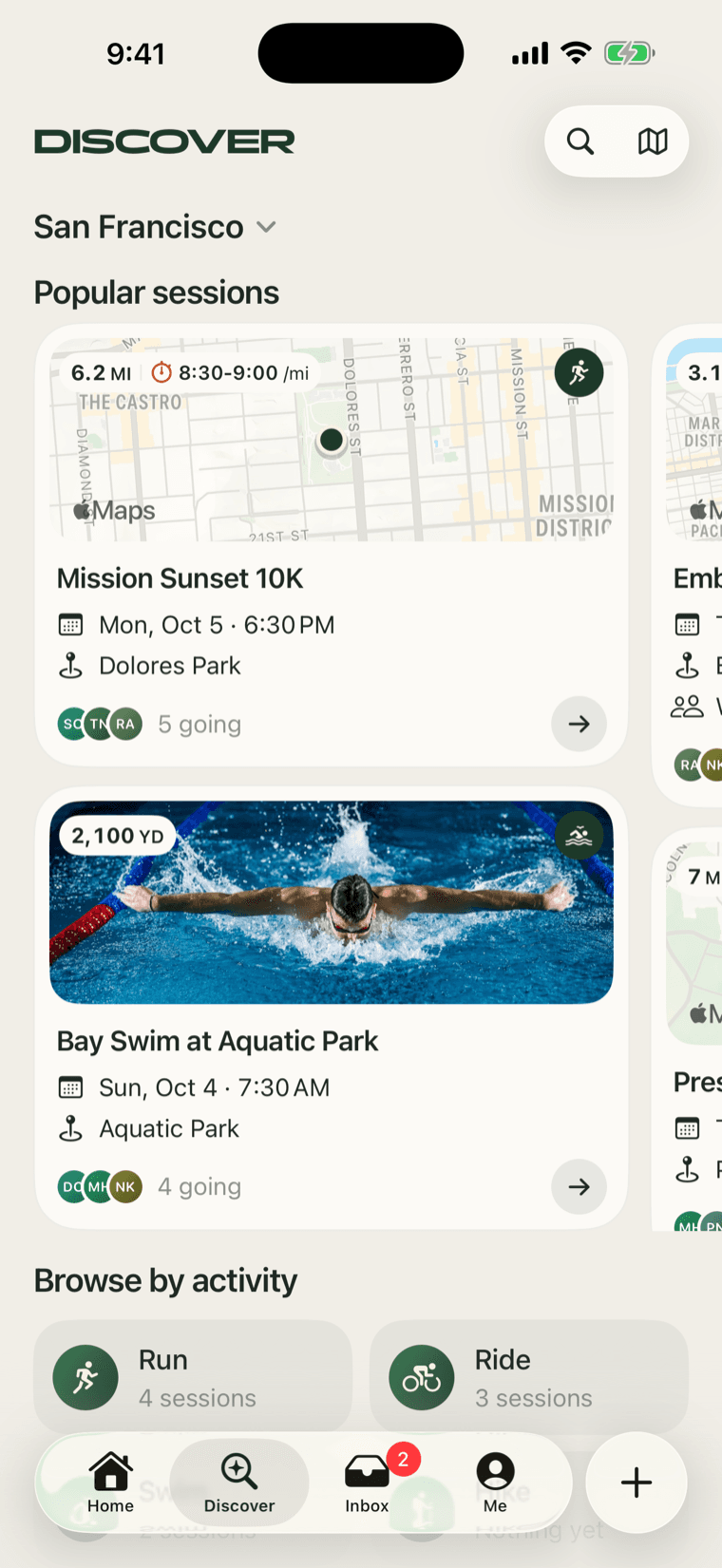
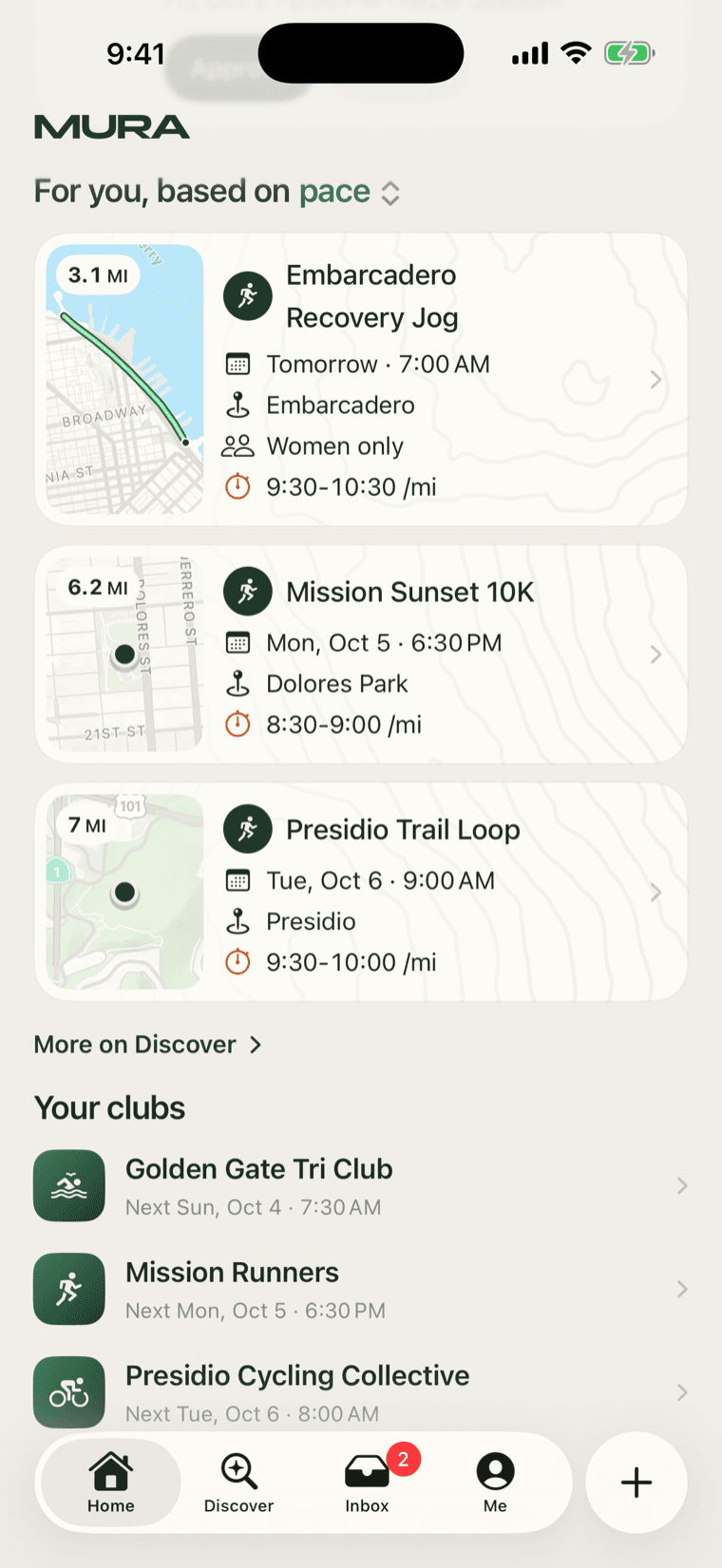
That was the answer, and it is now the shell. Home keeps what is yours: your plans, anything waiting on you, your clubs, and a short list of sessions picked for you. Discover finds what is not yet yours: your city and what is popular in it, sessions by activity, clubs to join, people to train with, and everything coming up by day. Inbox talks: chats, and the log of what happened.
We arrived at the three verbs on our own, and then noticed that the apps we think do this best have landed on the same three. That was reassuring rather than surprising. When teams solving similar problems end up in the same place, the place is probably right.
Discover is one scroll
The old clubs page and the old search both had segmented controls across the top, and segments hide half of what a page has. Discover is one scroll now. Each section has a title, and the title is a door to a fuller page: Popular sessions opens the sessions map, Clubs opens the club directory with its own search and invite codes, each activity tile opens that activity's clubs and sessions. You can see everything by scrolling and get to anything by tapping a heading.
The rows are the same everywhere: a square tile with your standing on its bottom edge, the host or the club, the title, when and where, and one figure on the right. The one exception is Discover's shelves, where sessions are cards with their map, because a shelf is where a picture earns its place.
The plus, and the rule we learned
The reference we had for the tab bar was a floating pill of four tabs with a detached plus beside it. iOS 26 can draw exactly that, as it turns out, if you ask it the right way. Ours is a button wearing a tab's clothes. It can never be selected; tapping it opens a chooser over whatever tab you are on: new session, a session in a club you lead, new club.
We wanted that circle in the brand colour. There is no supported way to do it. So we painted a circle over it. It looked right for about an hour, and then it was wrong in every way a fake is wrong: it did not move with the bar when the keyboard came up, it did not pick up the glass, and it did not respond to an accessibility setting the real one respects.
We threw it out the same day and wrote the rule down where we would see it: never paint over or fake a system control, and when unsure about a control, read Apple's Human Interface Guidelines first. The guidelines, for the record, say tabs are for navigation, so a compose button in the tab bar bends them. We know. The alternative is a compose button in Home's top bar, and we may yet go there.
Where Me went
Me is behind the avatar in each tab's header rather than a fourth tab. Your profile as other people see it, an Edit profile button, and a gear for settings.
Update, September 28: Me is a tab again, the fourth. A profile behind a small face in a corner was too easy to miss, and four tabs plus the plus is the most the bar holds before it folds into More, so there was room. The three verbs stand.